
Choosing the right Microsoft business plan means matching your organization’s user roles, security requirements, and budget to the correct Microsoft 365 license tier. The wrong plan costs money in two directions: you either overpay for features nobody uses, or you underpay and leave your organization exposed to security gaps. Microsoft 365 Business plans cover organizations up to 300 users, with three core tiers: Business Basic, Business Standard, and Business Premium. Pricing adjustments take effect July 1, 2026, making this the right time to reassess your current licensing strategy before costs shift.
How to choose the right Microsoft business plan: plan tiers explained
Microsoft 365 Business plans divide into three tiers, each built for a different operational profile. Understanding what each tier includes is the first step in any Microsoft business plan comparison.
Business Basic covers web and mobile versions of Office apps, Exchange email, Teams, SharePoint, and OneDrive. Desktop versions of Word, Excel, PowerPoint, and Outlook are not included. This tier suits light users who work primarily in a browser, such as Frontline staff or administrative workers with minimal document creation needs.
Business Standard adds full desktop app installations across up to five devices per user. It also includes webinar hosting, video editing tools, and standard data loss prevention. Business Standard pricing rises from $12.50 to $14 per user per month effective July 1, 2026. Microsoft 365 Business Basic moves from $6 to $7 per user per month at the same time.

Business Premium holds at $22 per user per month and includes everything in Standard plus Microsoft Intune for device management, Defender for Business, and Entra ID P1 for conditional access and identity protection. Security features in Premium are valued at over $11 per user monthly if purchased separately. Consequently, that bundled value makes Premium the most cost-efficient option for organizations with real security requirements.
| Plan | Monthly price (from July 2026) | Desktop apps | Advanced security |
|---|---|---|---|
| M365 Business Basic | $7/user | No | No |
| Business Standard | $14/user | Yes | No |
| Business Premium | $22/user | Yes | Yes (Intune, Defender, Entra ID P1) |
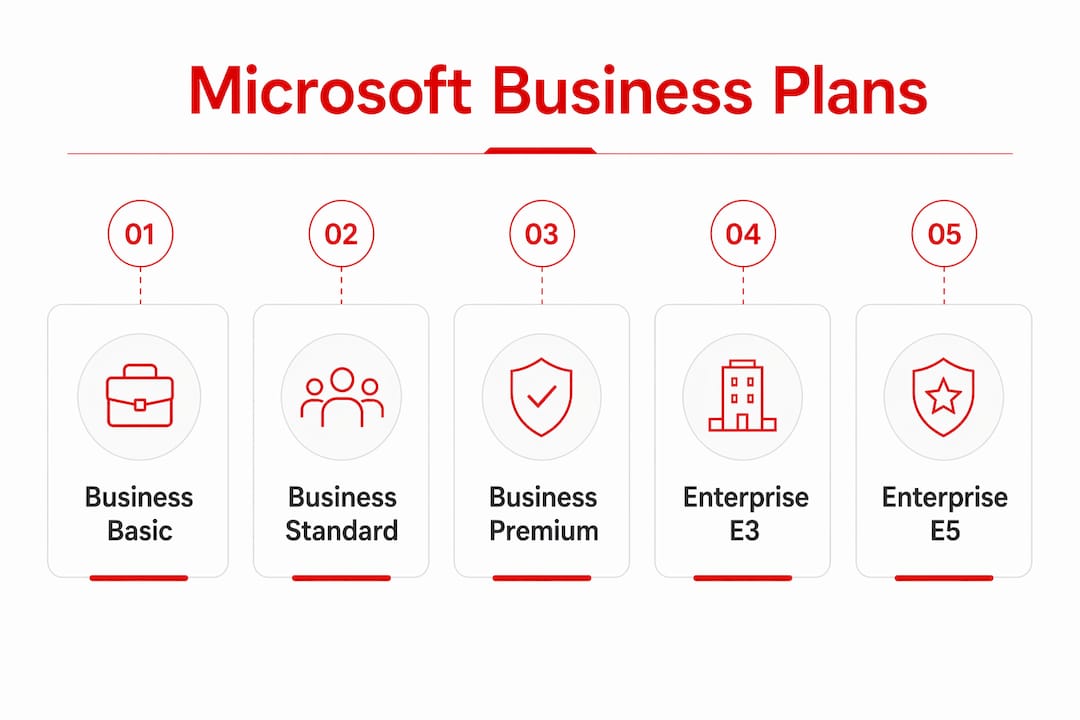
All three plans cap at 300 users. Organizations that exceed this threshold must move to Enterprise tiers: E3 at $39, E5 at $60, or the new E7 at $99 per user per month. E7, launched in may 2026, bundles E5, Microsoft Copilot, Entra Suite, and Agent 365 for large organizations running AI-integrated workflows.
How do you assess your organization’s security and compliance needs?
The most common mistake in selecting a Microsoft plan is treating all users as identical. Most organizations have at least three distinct user types, and each type maps to a different license tier.
Start by segmenting your workforce into three groups:
- Web-only users: Staff who need email, Teams, and browser-based Office apps. Business Basic covers this group.
- Standard office users: Employees who create and edit documents daily and need desktop app installations. Business Standard fits here.
- High-security users: Finance, HR, IT, and executive staff who handle sensitive data, use personal or remote devices, or access regulated systems. Business Premium is the correct tier for this group.
Compliance obligations directly affect which tier you need. Organizations subject to GDPR, HIPAA, or PCI-DSS require features like multi-factor authentication enforcement, conditional access policies, and endpoint management. Business Premium includes the endpoint management and conditional access controls that cyber insurance underwriters now require. Therefore, lower tiers do not include these controls, which creates a compliance gap that no add-on can fully close.
Pro Tip: Map your compliance obligations before you open a pricing page. If your organization carries cyber insurance or operates under HIPAA or PCI-DSS, Business Premium is likely a baseline requirement, not an upgrade.
Security experts recommend Business Premium for most hybrid work environments because remote access from personal devices creates attack surfaces that Standard-tier security cannot address. Hence, the default quote most SMBs receive is Business Standard. That default is a starting point, not a recommendation.
What is the step-by-step process for selecting the right plan?
A structured selection process prevents both overspending and under-protecting. The following steps apply to any SMB evaluating Microsoft 365 licensing.
- Audit your user base. List every employee and categorize each by job function and data access level. Identify who needs desktop apps, who handles regulated data, and who works remotely on personal devices.
- Map compliance requirements. Confirm which regulations apply to your industry. Note which security controls each regulation requires and verify which Microsoft 365 tier includes those controls natively.
- Set a per-user budget range. Calculate your current per-user spend and compare it against the July 2026 pricing. Factor in the narrowing gap between Standard ($14) and Premium ($22), which is now $8 per user per month.
- Assign licenses by user type. Mixed licensing assigns Premium only to high-security users and Basic or Standard to everyone else. This approach reduces total licensing cost compared to assigning one tier across the entire organization.
- Plan for growth. If your organization is approaching 250 users, begin evaluating Microsoft 365 Enterprise options now. Forced migrations at the 300-user cap are disruptive and expensive when done without preparation.
- Review annually. User roles change, compliance requirements evolve, and Microsoft pricing adjusts. A licensing review every 12 months prevents drift between what you pay for and what you actually need.
Pro Tip: Assign Business Premium to no more than the users who genuinely need it. A 50-person company where 15 staff handle sensitive data needs Premium for those 15 and Standard or Basic for the rest. That mix often saves $100 or more per month compared to blanket Premium assignment.
Technology Solutions Worldwide offers licensing guidance and migration support for organizations working through this process, with discounts of 20–30% off Microsoft subscriptions.
What are the most common mistakes when selecting Microsoft business plans?
Plan selection errors fall into predictable patterns. Recognizing them early prevents costly corrections later.
- Choosing the lowest-priced plan without a security audit. Business Basic costs $7 per user, but it includes no endpoint management, no Defender for Business, and no conditional access. Organizations that skip the security audit and default to Basic often discover the gap only after an incident.
- Ignoring the 300-user cap. Scaling past 300 users without a migration plan forces an abrupt move to Enterprise pricing. E3 starts at $39 per user, more than double Business Standard. Planning the transition at 200–250 users avoids emergency migrations.
- Neglecting backup strategy. Microsoft 365 does not provide full backup by default. Organizations that assume their data is fully protected by the subscription alone face data loss risk. A separate backup solution is required regardless of which plan tier you select.
- Overlooking MFA enforcement. IT architects caution against plans chosen solely on price that skip governance essentials like multi-factor authentication. MFA is configurable across all tiers, but enforcement policies and conditional access require Business Premium.
- Licensing overlap from add-ons. Organizations that purchase security add-ons for Standard-tier plans often spend more than a direct upgrade to Premium would cost. Audit add-on spend before renewing.
Pro Tip: Consult a Microsoft-certified licensing partner before finalizing any plan. A one-hour review with an expert often identifies overlaps or gaps that save more than the consultation costs.
User persona analysis is the single most effective method for avoiding unnecessary spend. Start there, not with the pricing page.
Key Takeaways
Choosing the right Microsoft business plan requires matching each user’s actual security and productivity needs to the correct license tier, not applying one plan across the entire organization.
| Point | Details |
|---|---|
| Three core tiers exist | Basic ($7), Standard ($14), and Premium ($22) per user per month from July 2026. |
| Premium includes bundled security | Intune, Defender for Business, and Entra ID P1 are included, valued over $11 per user monthly if bought separately. |
| Mixed licensing reduces cost | Assign Premium only to high-security users; use Basic or Standard for light users to cut total spend. |
| 300-user cap requires planning | Organizations nearing this limit should evaluate Enterprise tiers (E3, E5, E7) before reaching the threshold. |
| Compliance drives tier selection | Cyber insurance and regulations like HIPAA or PCI-DSS often require Business Premium as a baseline. |
The case for treating licensing as an ongoing decision
After working through Microsoft licensing decisions with organizations of many sizes, the pattern that causes the most problems is treating plan selection as a one-time event. Teams grow, roles shift, and compliance requirements change. A licensing structure that fit your organization in 2024 may leave gaps or waste budget by 2026.
The price gap between Business Standard and Business Premium narrowing to $8 per user per month changes the calculation for many SMBs. At that margin, any organization with more than a handful of remote workers or regulated data handlers should run the numbers on a full Premium deployment rather than a mixed approach. The administrative simplicity of a single tier sometimes outweighs the per-user savings from mixing.
The other point worth stating plainly: most SMBs underestimate how much their cyber insurance policy depends on their Microsoft 365 configuration. Underwriters are increasingly specific about requiring conditional access, MFA enforcement, and endpoint management. Business Premium delivers all three natively. Standard does not. That gap has real financial consequences if a claim is denied because the required controls were absent.
In conclusion, our recommendation is to review licensing every time your headcount changes by 20% or more, every time you add a new compliance obligation, and every time Microsoft announces a pricing adjustment. Additionally, the July 2026 changes qualify as that third trigger. Use them as the prompt to audit your current assignment and confirm it still fits.
— Technology
Technology Solutions Worldwide Microsoft licensing support for your organization
Technology Solutions Worldwide is a Microsoft Solutions Partner, Microsoft CSP, and Microsoft Reseller with over 20 years of experience in licensing and migration services. Therefore, organizations working through a Microsoft business plan comparison can access Microsoft licensing support that covers plan selection, mixed-tier deployment, compliance consulting, and migration planning.
Technology Solutions Worldwide provides discounts of 20–30% off Microsoft subscriptions and has served clients including government agencies and major corporations. Subsequently, for organizations approaching the 300-user cap or evaluating the July 2026 pricing changes, Technology Solutions Worldwide team can map your user roles to the correct license tiers and identify cost savings before your next renewal. Hence, contact Technology Solutions Worldwide to get a licensing review tailored to your organization’s size, security posture, and budget.
FAQ
What is the difference between Business Basic, Standard, and Premium?
Microsoft 365 Business Basic provides web-only Office apps at $7 per user per month. M365 Business Standard adds desktop app installations at $14. Business Premium adds advanced security tools including Intune, Defender for Business, and Entra ID P1 at $22.
How many users can use Microsoft 365 Business plans?
Microsoft 365 Business plans support a maximum of 300 users. Additionally, organizations exceeding this limit must migrate to Enterprise plans such as E3, E5, or E7.
Does Business Standard include security features like Intune or Defender?
Business Standard does not include Microsoft Intune, Defender for Business, or Entra ID P1. Hence, those features are exclusive to Business Premium and are required by many cyber insurance policies.
What is a mixed licensing approach?
A mixed licensing approach assigns different Microsoft 365 tiers to different users based on their roles. To sum up, high-security users receive Business Premium while light users receive Basic or Standard, reducing total licensing cost without sacrificing protection where it matters.
When should an SMB consider moving to Enterprise plans?
An SMB should evaluate Enterprise plans when its user count approaches 250–300, when it requires AI Copilot integrations, or when compliance needs exceed what Business Premium provides. Hence, Enterprise E3 starts at $39 per user per month from July 2026.