
Choosing the Right Microsoft 365 Plan
Every business needs reliable email, secure cloud storage, professional collaboration tools, and productivity applications. Microsoft offers multiple business subscriptions designed to meet different needs and budgets, with Microsoft 365 Business Basic and Microsoft 365 Business Standard being two of the most popular options.
While both subscriptions provide access to Microsoft’s cloud services, they are designed for different types of organizations. Business Basic is ideal for organizations that primarily work in a web browser, while Business Standard delivers the complete desktop Office experience alongside Microsoft’s cloud collaboration platform.
This guide explains every major difference, benefits, disadvantages, pricing, and why thousands of businesses choose Technology Solutions Worldwide for discounted Microsoft licensing.
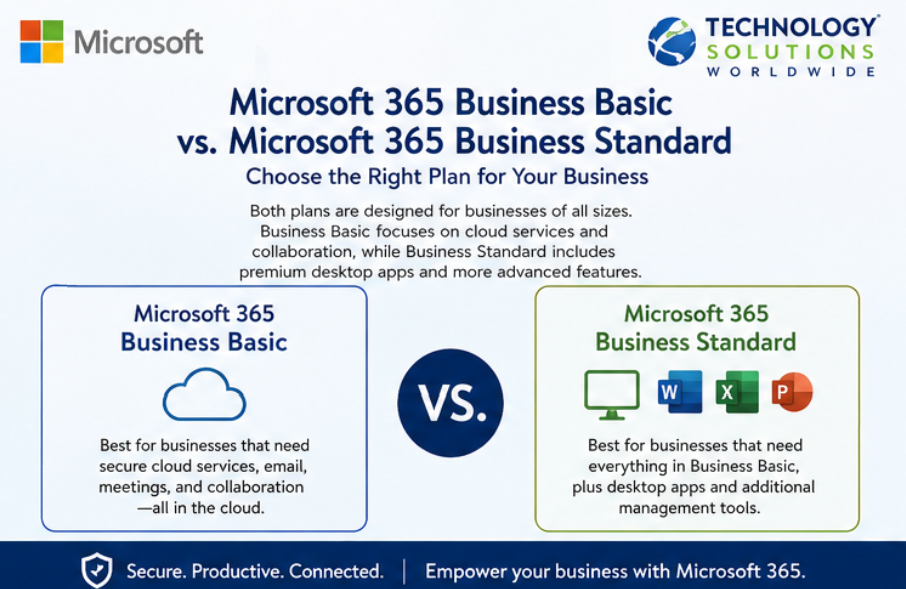
Whats the difference between Microsoft 365 Business Basic and Microsoft 365 Business Standard. Visit https://techsolworld.com/product-category/micorosft365 [email protected] (800)998-2792.
What is Microsoft 365 Business Basic?
Microsoft 365 Business Basic is Microsoft’s entry-level business productivity subscription designed for organizations that need professional email, cloud collaboration, online Office applications, and secure file sharing without requiring installed desktop Office applications.
It provides an affordable way for businesses to access Microsoft Teams, Exchange Online, OneDrive, SharePoint, and browser-based Office applications from virtually anywhere.
Microsoft 365 Business Basic Includes
Microsoft Teams
- Online meetings
- Video conferencing
- Team chat
- File collaboration
- Screen sharing
Exchange Online
- Business email
- 50 GB mailbox
- Shared calendars
- Contacts
- Enterprise spam filtering
OneDrive for Business
- 1 TB cloud storage per user
- Secure file sharing
- Automatic synchronization
- Version history
SharePoint Online
- Internal company sites
- Document management
- Team collaboration
- Workflow capabilities
Office Web Applications
Users receive browser-based versions of:
- Word
- Excel
- PowerPoint
- Outlook
- OneNote
Additional Services
- Microsoft Forms
- Microsoft Planner
- Microsoft Lists
- Microsoft Stream
- Microsoft Viva Engage
- Microsoft Bookings
- Microsoft Loop
- Microsoft Clipchamp
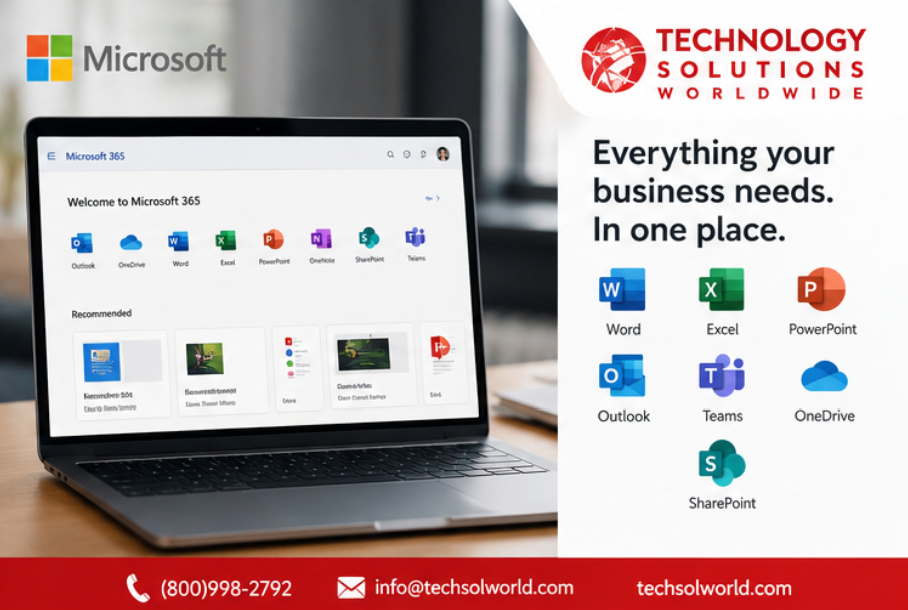
Full services included with Microsoft 365 Business Basic and Microsoft 365 Business Standard.
Benefits of Microsoft 365 Business Basic
Extremely Affordable
Business Basic delivers enterprise-grade collaboration tools at a very low monthly cost, making it perfect for startups, nonprofits, schools, and small businesses.
Professional Business Email
Every user receives a professional business mailbox with Microsoft’s highly reliable Exchange Online platform.
Anywhere Access
Employees can work from any computer or mobile device with an internet connection.
1 TB Cloud Storage
Every user receives generous OneDrive storage for documents, presentations, spreadsheets, and business files.
Excellent Collaboration
Teams, SharePoint, and OneDrive enable employees to collaborate in real time regardless of location.
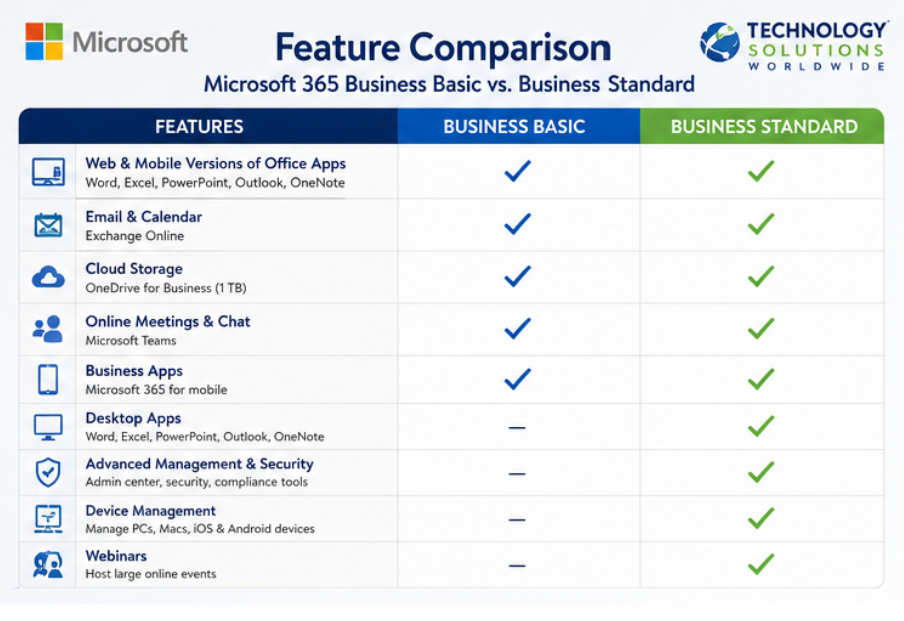
Microsoft 365 Business Standard vs. Microsoft 365 Business Basic. Comparison Chart for all features available in both product lines. Visit https://techsolworld.com/product-category/microsoft365/ [email protected] (800)998-2792.
Disadvantages of Microsoft 365 Business Basic
No Desktop Office Applications
Users cannot install desktop versions of Word, Excel, PowerPoint, or Outlook.
Limited Offline Productivity
Although files can be accessed offline through some services, Business Basic is primarily designed for cloud-first work.
Fewer Advanced Productivity Features
Power users who create large Excel models, complex documents, or advanced presentations may prefer the desktop applications included with Business Standard.

M365 Business Basic vs M365 Business Standard – https://techsolworld.com/product-category/microsoft365/
What is Microsoft 365 Business Standard?
Microsoft 365 Business Standard builds upon Business Basic by including fully installed desktop Office applications while maintaining all cloud collaboration services.
It is Microsoft’s most popular subscription for businesses that want the complete Office experience across multiple devices.
Microsoft 365 Business Standard Includes
Similarly, everything included in Business Basic plus:
Desktop Office Applications
Install on multiple supported devices:
- Word
- Excel
- PowerPoint
- Outlook
- OneNote
Additional Desktop Applications
- Access (Windows)
- Publisher (Windows)
Cloud Services
- Microsoft Teams
- Exchange Online
- SharePoint Online
- OneDrive for Business
- Microsoft Forms
- Microsoft Planner
- Microsoft Lists
- Microsoft Stream
- Microsoft Viva Engage
- Microsoft Bookings
- Microsoft Loop
- Microsoft Clipchamp
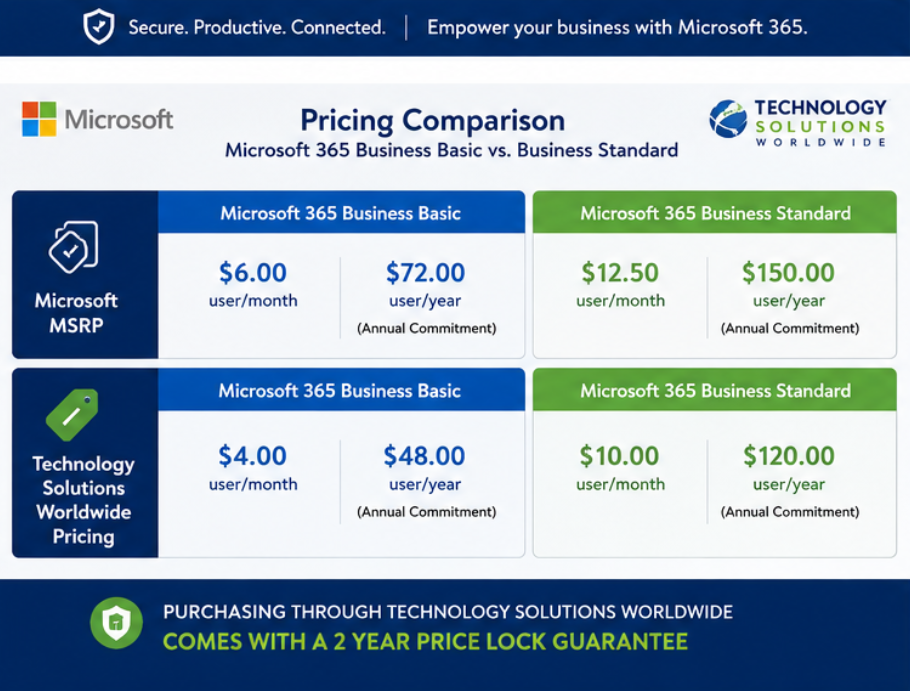
Learn the best pricing options available for Microsoft 365 Business Standard and Microsoft 365 Business Basic. [email protected] or (800)998-2792.
Benefits of Microsoft 365 Business Standard
Complete Office Experience
In short, users receive the full desktop applications with advanced functionality unavailable in web-only versions.
Better Performance
Desktop applications perform significantly better when working with:
- Large Excel spreadsheets
- Complex Word documents
- Professional PowerPoint presentations
- Large Outlook mailboxes
Offline Productivity
As a result, employees can continue working even without an internet connection and synchronize changes later.
Greater Business Flexibility
Organizations can combine desktop productivity with cloud collaboration for maximum efficiency.
Better for Growing Businesses
For example, companies planning expansion often choose Business Standard because it scales easily while providing the complete Office experience employees expect.
Microsoft 365 Business Basic vs Microsoft 365 Business Standard – [email protected]
Disadvantages of Microsoft 365 Business Standard
Higher Cost
Most importantly, Business Standard costs more than Business Basic because it includes desktop software licensing.
More Features Than Some Businesses Need
In other words, organizations that work entirely online may not utilize the installed Office applications.
Side-by-Side Comparison
| Feature | Business Basic | Business Standard |
|---|---|---|
| Business Email | Yes | Yes |
| Microsoft Teams | Yes | Yes |
| Exchange Online | Yes | Yes |
| OneDrive 1 TB Storage | Yes | Yes |
| SharePoint Online | Yes | Yes |
| Office Web Apps | Yes | Yes |
| Desktop Word | No | Yes |
| Desktop Excel | No | Yes |
| Desktop PowerPoint | No | Yes |
| Desktop Outlook | No | Yes |
| Access (Windows) | No | Yes |
| Publisher (Windows) | No | Yes |
| Offline Editing | Limited | Yes |
| Best For | Cloud-first organizations | Businesses needing complete Office applications |
Microsoft MSRP Pricing
Microsoft 365 Business Basic
Monthly MSRP
$6.00 per user/month
Annual Cost
$72.00 per user/year
Microsoft 365 Business Standard
Monthly MSRP
$15.00 per user/month
Annual Cost
$180.00 per user/year
Where to buy Microsoft 365 Business Standard and Microsoft 365 Business Basic. Best price guarantee. Microsoft Solutions Partner and Microsoft CSP.
Technology Solutions Worldwide Pricing
Technology Solutions Worldwide offers significant savings compared to Microsoft’s standard retail pricing. Moreover, by being a Microsoft CSP, Microsoft Solutions Partner, and Microsoft VAR, Technology Solutions Worldwide is capable of doing renewals on Microsoft existing subscriptions including new orders for licenses.
Microsoft 365 Business Basic
Monthly Price
$4 per user/month
Annual Price
$48 per user/year
To sum up the Savings with Technology Solutions Worldwide compared to Microsoft MSRP, see below:
- Save $2 every month per user
- Save $24 annually per user
Microsoft 365 Business Standard
Monthly Price
$10 per user/month
Annual Price
$120 per user/year
Consequently, the savings with Technology Solutions Worldwide compared to Microsoft MSRP are as follows:
- Save $5 every month per user
- Save $60 annually per user
Exclusive Two-Year Price Lock Guarantee
On the other hand, unlike many providers that adjust pricing whenever Microsoft increases licensing costs, Technology Solutions Worldwide provides a two-year price lock guarantee.
Benefits include:
- Predictable IT budgeting
- Protection from price increases
- Long-term cost savings
- Simplified procurement planning
- Greater financial stability
Why Choose Technology Solutions Worldwide?
Technology Solutions Worldwide is a trusted Microsoft licensing provider serving organizations throughout North America, South America, the Caribbean, and beyond.
For instance, customers benefit from:
- Microsoft Solutions Partner expertise
- Microsoft VAR services
- Microsoft Reseller licensing
- Microsoft Managed Services (MSP)
- Volume licensing specialists
- Competitive Microsoft pricing
- Dedicated licensing support
- Fast deployment
- Expert migration assistance
Hence, whether you need one user or thousands of licenses, Technology Solutions Worldwide helps organizations maximize value while reducing Microsoft licensing costs.
Purchase Microsoft 365 Business Basic
Annual Pricing:
$4 per month / $48 annually
Most importantly, purchase directly through Technology Solutions Worldwide here: https://techsolworld.com/product/microsoft-365-business-basic-annual/
Purchase Microsoft 365 Business Standard
Annual Pricing:
$10 per month / $120 annually
To sum up, purchase directly through Technology Solutions Worldwide here: https://techsolworld.com/product/microsoft-365-business-standard-annual/
Contact Technology Solutions Worldwide
In conclusion, for personalized quotes, enterprise pricing, government licensing, nonprofit discounts, education licensing, or volume purchases, contact Technology Solutions Worldwide today.
Phone:
(800) 998-2792
Email:
In addition, businesses looking for additional Microsoft subscriptions, enterprise licensing, education plans, and volume agreements can also explore the complete Microsoft licensing catalog available through Technology Solutions Worldwide.
Woah! I’m really loving the template/theme of this
site. It’s simple, yet effective. A lot of times it’s very
hard to get that “perfect balance” between superb usability and visual appearance.
I must say that you’ve done a excellent job with this.
Also, the blog loads extremely quick for me on Internet explorer.
Superb Blog!