
Digital transformation is no longer optional for modern organizations. Businesses, government agencies, schools, healthcare providers, and nonprofit organizations are all under pressure to do more with less—automate manual work, modernize outdated processes, improve employee productivity, reduce paperwork, and connect data across departments. To sum up, one of the most practical ways to accomplish this is by building custom business applications without the time, cost, and complexity of traditional software development.
That is where Microsoft Power Apps Premium comes in.
Microsoft Power Apps Premium is a powerful low-code application development platform that allows organizations to build custom business apps, automate workflows, connect to enterprise systems, and modernize internal operations across desktop, tablet, and mobile devices. Therefore, instead of relying solely on expensive custom software projects or trying to force legacy processes into generic applications, organizations can use Power Apps Premium to create apps tailored to the way they actually work.
Hence, for companies and institutions looking to streamline operations, reduce manual data entry, improve employee experiences, digitize forms and approvals, and connect Microsoft 365, Dynamics 365, Azure, and third-party business systems, Microsoft Power Apps Premium can be a major asset.
As a result, Technology Solutions Worldwide, organizations can purchase Microsoft Power Apps Premium for only $14.00 per user per month, billed annually at $168 per user per year. As a Microsoft CSP, Microsoft MSP, Microsoft VAR, Microsoft AOS-G Partner, Microsoft Solutions Partner, Microsoft Reseller, Microsoft Education Partner, and Microsoft Government Partner, Technology Solutions Worldwide helps organizations secure the right Microsoft licensing while lowering costs and supporting long-term Microsoft cloud strategy.
Purchase Microsoft Power Apps Premium here: Microsoft Power Apps Premium Annual License
For a personalized quote, email [email protected] or call (800) 998-2792.
What Is Microsoft Power Apps Premium?
Microsoft Power Apps Premium is the advanced licensing tier of Microsoft Power Apps, part of the broader Microsoft Power Platform. Consequently, it is designed for organizations that want to build, deploy, and manage custom business applications with greater flexibility, stronger data capabilities, premium system integrations, and enterprise-scale functionality.
Therefore, Power Apps Premium allows users to create both canvas apps and model-driven apps, connect to Microsoft Dataverse, use premium connectors to third-party and enterprise platforms, and build apps that solve real operational problems across departments such as HR, finance, operations, field service, compliance, IT, project management, procurement, and customer service.
Instead of requiring a team of developers to build every internal solution from scratch, Power Apps Premium gives organizations a low-code platform where business users, IT teams, developers, and consultants can work together to create apps much faster. Consequently, this reduces development time, lowers costs, improves process visibility, and helps organizations adapt quickly as needs change.
What Does Microsoft Power Apps Premium Include?
Microsoft Power Apps Premium goes beyond the standard capabilities of basic app creation by offering a richer set of enterprise features. Therefore, it is built for organizations that need stronger integrations, scalable data management, and more advanced business process support.
Core capabilities of Microsoft Power Apps Premium include:
- Custom low-code application development
- Canvas apps and model-driven apps
- Microsoft Dataverse access
- Premium connectors to enterprise and third-party systems
- Secure app deployment for web and mobile
- Role-based security and administrative controls
- Integration with Microsoft 365, Dynamics 365, Azure, and Power Automate
- Scalable business process app development
- Support for custom business data models
- Ability to modernize manual, paper-based, and spreadsheet-based processes
These features make Power Apps Premium particularly valuable for organizations that want more than a simple form builder. Therefore, it is a full business application platform that can be used to build operational systems, departmental apps, approval solutions, employee self-service portals, inspections apps, service request tools, compliance tracking apps, asset management systems, onboarding workflows, and much more.
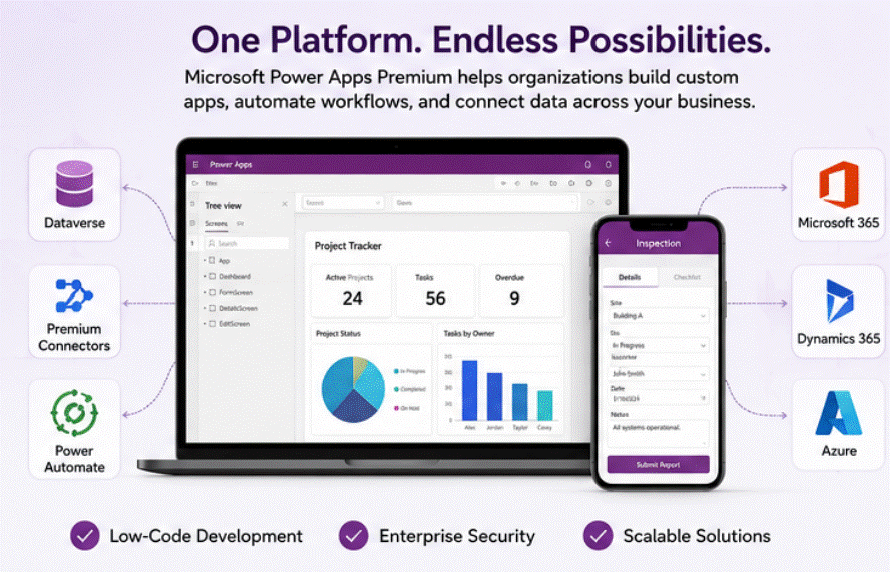
Microsoft Power Apps Premium – All you need to know.
Key Features and Capabilities of Microsoft Power Apps Premium
1. Build Custom Business Apps Without Traditional Development Timelines
One of the biggest benefits of Power Apps Premium is the ability to build custom apps quickly using low-code tools. In addition, organizations can create internal applications without waiting months for a full custom software development project.
This means teams can build apps for:
- employee onboarding
- HR request tracking
- project approvals
- procurement requests
- inventory and asset management
- site inspections
- field reporting
- customer intake
- contract tracking
- policy acknowledgments
- service ticket workflows
- grant tracking
- compliance audits
- healthcare forms and care coordination workflows
Therefore, Power Apps uses a visual design environment, it is often much faster to create, test, and improve business applications compared to traditional development methods.
2. Canvas Apps for Highly Customized User Experiences
Canvas apps allow organizations to create highly customized applications with drag-and-drop design flexibility. Hence, these apps are ideal when a business needs a tailored interface for employees, managers, field workers, or customers.
For example, a field inspection team may need a mobile app with:
- buttons for different inspection categories
- photo capture from a smartphone
- GPS or location references
- checklist items
- status updates
- signatures
- offline capability for remote environments
- automatic submission of inspection reports
Canvas apps are especially useful when the business process is unique and the user experience needs to be designed around the workflow.
3. Model-Driven Apps for Structured Business Processes
Model-driven apps are built around business data, relationships, workflows, and process logic. Therefore, they are especially useful for more structured, data-intensive business processes such as case management, compliance management, contract tracking, or internal service management.
These apps are ideal when an organization needs:
- standardized data records
- repeatable business processes
- dashboards and reporting
- user roles and permissions
- workflow stages
- strong integration with Dataverse
For example, a government agency managing grant requests or a healthcare organization managing internal compliance workflows may prefer a model-driven app because it provides a more structured framework for handling records and business rules.
4. Microsoft Dataverse for Secure and Scalable Business Data
For instance, a major advantage of Power Apps Premium is access to Microsoft Dataverse, Microsoft’s cloud-based data platform for business applications.
In addition, Dataverse allows organizations to store and manage business data in a secure, structured, scalable way. Instead of keeping operational data scattered across spreadsheets, emails, and disconnected databases, Dataverse creates a centralized environment for application data, business rules, permissions, and automation.
Benefits of Dataverse include:
- centralized business data storage
- relational data modeling
- role-based security
- integration with Power Apps, Power Automate, and Dynamics 365
- scalable architecture for business apps
- standardized data management across multiple apps and departments
Hence, this is important because many organizations outgrow spreadsheet-based tracking systems. Therefore, dataverse gives them a stronger foundation for building reliable, scalable operational applications.
5. Premium Connectors for Enterprise Systems and Third-Party Platforms
Microsoft Power Apps Premium includes access to premium connectors, which is one of its most important business advantages. Additionally, Premium connectors allow organizations to connect Power Apps to a wide range of business systems and data sources beyond the basic Microsoft ecosystem.
Examples may include connections to:
- SQL Server
- Salesforce
- ServiceNow
- Oracle
- SAP
- custom APIs
- Azure services
- enterprise databases
- external business systems
- industry-specific applications
Therefore, this allows organizations to create apps that pull data from multiple sources, update records across systems, and support more sophisticated workflows. Instead of making employees jump between several disconnected platforms, Power Apps Premium can bring those processes together into one app experience.
6. Mobile and Web Access for Anywhere Productivity
Power Apps Premium apps can be used across desktops, tablets, and smartphones, making them highly valuable for distributed workforces and field-based teams.
This is especially useful for:
- sales teams traveling between client meetings
- healthcare workers moving between locations
- school administrators working across multiple campuses
- government inspectors in the field
- nonprofit staff managing outreach events
- warehouse or logistics teams away from desks
- maintenance teams completing service tasks onsite
The ability to put custom apps in the hands of mobile workers can significantly improve speed, accuracy, accountability, and real-time visibility into operations.
7. Integration with Power Automate for Workflow Automation
Power Apps Premium becomes even more powerful when paired with Microsoft Power Automate. Hence, organizations can trigger automated workflows directly from app activity, reducing repetitive manual work and improving operational consistency.
For example, an app submission can automatically:
- route an approval request
- send notifications
- create follow-up tasks
- update a SharePoint list or Dataverse record
- generate an email confirmation
- escalate an issue to management
- open a support ticket
- trigger document generation
- notify a compliance team
- update reporting dashboards
This combination of custom app development and workflow automation helps organizations eliminate bottlenecks and accelerate decision-making.
8. Security, Governance, and Administrative Control
Power Apps Premium is designed for business and enterprise use, which means governance and security matter. Hence, organizations can manage users, environments, data access, app permissions, and integration points with broader Microsoft security and identity infrastructure.
Therefore, this is particularly important for organizations in regulated industries or sensitive operational environments, such as government, education, healthcare, and finance.
Benefits can include:
- role-based access controls
- user and environment management
- integration with Microsoft Entra ID
- support for compliance and governance practices
- centralized administration across business apps
- more controlled access to business data
Advantages of Microsoft Power Apps Premium
Faster Application Development
Organizations can launch internal apps much faster than with traditional development cycles. As a result, this allows departments to solve operational problems without waiting for long IT backlogs or large software projects.
Lower Development Costs
Power Apps Premium can reduce the cost of custom business application development by enabling low-code app creation, faster deployment, and easier maintenance.
Better Process Standardization
Many organizations struggle with inconsistent workflows spread across email, spreadsheets, paper forms, and disconnected tools. Therefore, Power Apps Premium helps standardize and centralize those processes.
Improved Employee Productivity
When employees have purpose-built apps for the work they do every day, they can complete tasks faster, reduce duplicate effort, and spend less time navigating inefficient manual processes.
Stronger Data Visibility
Instead of having information buried in inboxes, local files, or departmental spreadsheets, Power Apps Premium helps centralize operational data and make it easier to track, report on, and act on.
Scalable Across Departments
A single organization can use Power Apps Premium across HR, operations, finance, compliance, procurement, field service, customer support, and executive reporting, making it a versatile long-term platform rather than a one-time app builder.
Better Alignment with Microsoft Investments
For organizations already using Microsoft 365, Teams, SharePoint, Dynamics 365, Azure, or Power Automate, Power Apps Premium fits naturally into the broader Microsoft cloud environment.
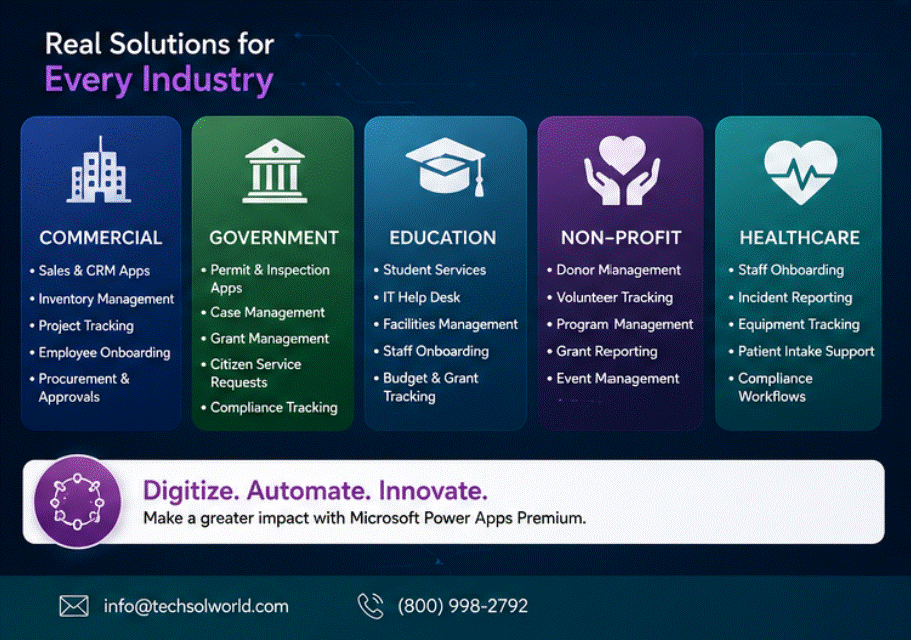
Microsoft Power Apps Premium – learn what comes in this package?
How Microsoft Power Apps Premium Benefits Different Industries and Organization Types
Microsoft Power Apps Premium for Commercial Organizations
Commercial businesses are under constant pressure to improve efficiency, control costs, and move faster. In other words, Power Apps Premium helps private-sector organizations modernize internal operations and create apps that fit their actual business workflows.
Commercial use cases include:
- sales pipeline support apps
- customer onboarding workflows
- inventory and warehouse tracking
- employee onboarding and HR self-service
- procurement approval systems
- project tracking and task escalation apps
- field service dispatch and reporting
- contract and renewal management
- maintenance request systems
- quality assurance and inspection apps
Commercial benefits include:
- faster internal processes
- lower administrative overhead
- improved customer response times
- stronger visibility into operations
- reduced reliance on spreadsheets and email-based workflows
- easier automation of repetitive work
That is to say, a manufacturing company might use Power Apps Premium to create a plant-floor inspection app, a service organization may build a field technician reporting app, and a professional services company may build a project intake and approval app.
Microsoft Power Apps Premium for Government Organizations
Government agencies often face legacy processes, approval bottlenecks, paper-heavy workflows, and strict accountability requirements. To clarify, Power Apps Premium gives agencies a way to modernize operations while maintaining better control, visibility, and process consistency.
Government use cases include:
- permit and inspection apps
- grant application intake and review workflows
- procurement and vendor approval systems
- employee onboarding and internal service request apps
- case management support apps
- compliance and policy acknowledgment systems
- emergency response coordination apps
- asset and fleet tracking applications
- facilities maintenance request systems
- constituent service request tracking
Government benefits include:
- digitization of paper-based processes
- improved process transparency
- faster internal approvals
- better recordkeeping and tracking
- more efficient service delivery
- reduced administrative burden on staff
For example, a municipality could build a mobile app for code enforcement inspections, a county agency could create an internal grant management app, or a state department could develop an employee request portal for HR, IT, and facilities services.
Microsoft Power Apps Premium for Education Organizations
Schools, colleges, universities, and educational institutions manage a wide range of workflows across admissions, faculty operations, student services, facilities, finance, and compliance. On the other hand, Power Apps Premium can help educational institutions replace fragmented manual processes with digital solutions tailored to campus operations.
Education use cases include:
- student service request portals
- IT help desk and device request apps
- facilities work order tracking
- staff onboarding and HR forms
- grant and departmental budget tracking
- field trip approval workflows
- faculty equipment request systems
- student incident reporting tools
- enrollment support and internal process apps
- inventory tracking for technology and classroom resources
Education benefits include:
- less administrative paperwork
- improved communication between departments
- faster response times for staff and students
- more efficient campus operations
- better tracking of requests and approvals
- improved visibility into internal workflows
A K–12 district might use Power Apps Premium for maintenance requests and staff onboarding, while a university could use it for research approvals, departmental inventory tracking, or student services request management.
Microsoft Power Apps Premium for Nonprofit Organizations
Likewise, nonprofits need to maximize impact while carefully managing budgets, staff capacity, donor relationships, volunteer coordination, and service delivery. Therefore, Power Apps Premium can help nonprofits automate administrative work and create systems tailored to grants, outreach, programs, and community support services.
Nonprofit use cases include:
- grant tracking and reporting apps
- volunteer management applications
- client intake and service coordination tools
- donor engagement tracking apps
- event planning and registration workflows
- outreach and case support applications
- internal approval systems for purchases and expenses
- program reporting and compliance tracking
- equipment checkout and resource management apps
Nonprofit benefits include:
- reduced administrative workload
- better visibility into programs and funding
- more efficient service coordination
- improved volunteer and donor process management
- more time focused on mission delivery instead of manual paperwork
For example, a nonprofit serving families may build a client intake and case support app, while a foundation could create a grant application and review workflow that reduces email-based administration.
Microsoft Power Apps Premium for Healthcare Organizations
Consequently, healthcare organizations deal with complex workflows, sensitive information, compliance requirements, distributed staff, and constant pressure to improve care coordination and operational efficiency. Likewise, Power Apps Premium can help healthcare providers, clinics, health systems, and support organizations create secure internal applications that improve process flow and staff productivity.
Healthcare use cases include:
- staff onboarding and credential tracking
- incident reporting and follow-up apps
- equipment and asset tracking
- patient intake support workflows
- internal service request systems
- facility inspections and compliance checklists
- care coordination support apps
- shift handoff and operational reporting tools
- training acknowledgment and policy compliance apps
- procurement and supply request applications
Healthcare benefits include:
- improved operational visibility
- faster internal communication and coordination
- better documentation of internal processes
- reduced paperwork and manual duplication
- more efficient support workflows across departments
- better support for mobile and distributed staff
For example, a healthcare organization might use Power Apps Premium to create an internal equipment request app, a facility compliance inspection tool, or an employee credential renewal workflow.
Real-Life Applications of Microsoft Power Apps Premium
One of the reasons Power Apps Premium is so valuable is that it solves real operational problems, not just theoretical ones. In addition, below are examples of the kinds of applications organizations build with the platform:
Employee Onboarding App
A company creates a centralized onboarding app where HR, IT, facilities, and department managers can track new hire tasks, assign equipment, confirm training, and monitor progress.
Field Inspection App
A government or commercial field team uses a mobile inspection app to complete site visits, upload photos, document issues, collect signatures, and submit reports in real time.
Help Desk and Internal Service Request App
An organization creates a request app for employees to submit HR, payroll, IT, facilities, and procurement requests, with built-in workflows and status updates.
Grant and Funding Management App
A nonprofit or government agency builds an app to track grant applications, internal reviews, approvals, reporting deadlines, and funding documentation.
Healthcare Compliance and Incident Reporting App
A healthcare provider uses Power Apps Premium to document incidents, track investigations, manage corrective actions, and monitor compliance workflows.
Inventory and Asset Management App
A school district, business, or healthcare organization creates an app to track laptops, equipment, vehicles, or medical devices, including assignments, maintenance history, and availability.
Sales and Customer Intake App
A commercial organization builds a customer intake app that standardizes lead capture, qualification, internal handoff, and onboarding.
Procurement and Approval App
An organization creates an internal purchasing request app with automated approvals, budget checks, notifications, and vendor tracking.
Why Microsoft Power Apps Premium Matters for Long-Term Digital Transformation
Many organizations begin their digital transformation journey by trying to fix one broken process at a time. On the other hand, they may want to replace a spreadsheet, automate an approval workflow, or create a mobile form for field staff. Those are important first steps, but the larger value of Power Apps Premium is that it gives organizations a repeatable platform for ongoing modernization.
Instead of solving one process and stopping there, organizations can use Power Apps Premium as part of a broader strategy to:
- reduce paper-based and manual work
- standardize departmental operations
- improve data visibility across teams
- support remote and mobile employees
- connect disconnected systems
- automate approvals and repetitive tasks
- create a better employee experience
- build a stronger operational foundation for growth
To sum up, Microsoft Power Apps Premium is not just an app builder. Additionally, it is a practical digital transformation tool that helps organizations become faster, more connected, and more efficient.
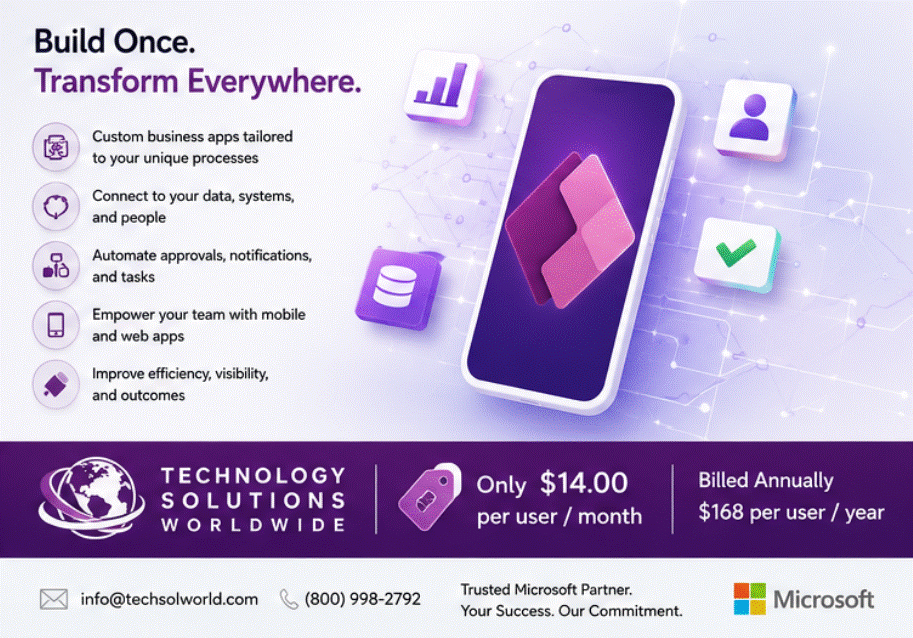
Microsoft Power Apps Premium – Everything you need to know. [email protected]
Buy Microsoft Power Apps Premium from Technology Solutions Worldwide
Organizations looking to deploy Microsoft Power Apps Premium can purchase the license directly from Technology Solutions Worldwide.
Microsoft Power Apps Premium price: $14.00 per user per month
Annual billing: $168 per user per year
Purchase online here:
Buy Microsoft Power Apps Premium Annual License
For a personalized quote, Microsoft licensing guidance, or help determining the right Power Platform licensing strategy for your organization, contact Technology Solutions Worldwide:
Email: [email protected]
Phone: (800) 998-2792
Technology Solutions Worldwide is a trusted Microsoft partner supporting organizations with Microsoft licensing, cloud solutions, and digital transformation strategy. Hence, as a Microsoft CSP, Microsoft MSP, Microsoft VAR, Microsoft AOS-G Partner, Microsoft Solutions Partner, Microsoft Reseller, Microsoft Education Partner, and Microsoft Government Partner, Technology Solutions Worldwide helps commercial, government, education, nonprofit, and healthcare organizations obtain the Microsoft solutions they need at competitive pricing.
Final Thoughts
In conclusion, Microsoft Power Apps Premium is one of the most practical Microsoft cloud solutions available to organizations that want to modernize operations without the time and cost of traditional software development. It allows businesses and institutions to build custom apps, automate work, centralize data, connect systems, and improve employee productivity in ways that directly impact day-to-day operations.
Therefore, whether an organization needs a mobile inspection app, an internal approval workflow, a grant management solution, a help desk portal, an onboarding application, or a secure operational system connected to Microsoft 365 and business data, Power Apps Premium provides a flexible foundation for getting there.
To sum up, for organizations that want to digitize processes, reduce manual work, and build applications aligned to their real business needs, Microsoft Power Apps Premium is a strong investment.
To purchase Microsoft Power Apps Premium for $14.00 per user per month billed annually, visit:
Technology Solutions Worldwide Power Apps Premium Store Page
For a quote or assistance, email [email protected] or call (800) 998-2792.
Learn more about this product directly at Microsoft HERE.